


?
For players in the United Kingdom, mobile casino access is most useful when it is straightforward: open the site, sign in securely and find a game without wrestling with a cramped layout. Katana Casino’s mobile experience is designed around that routine. This guide looks at how to access an account on a phone, what to check before logging in and how to make mobile play more comfortable and responsible.
To visit the casino, use the official address: https://gb.katanacasino-uk.com/. Check that the address is correct before entering personal or payment details. A familiar-looking page is not enough to establish that a site is genuine, so UK players should also review the casino’s current terms, licensing information and responsible-gambling provisions.
Getting started on a mobile device
Katana Casino can be accessed through a mobile browser, so players generally do not need to install a separate application to reach the site. Open a current browser on your smartphone or tablet, enter the official website address and allow the page to load fully. A stable Wi-Fi or mobile-data connection helps reduce interruptions, particularly when signing in or navigating between games.
New customers will need to register before they can log in. Use accurate details and read the account terms carefully, including any age, identity-verification and bonus conditions. UK gambling is restricted to adults aged 18 or over. If you already have an account, choose the login option and enter the credentials associated with it.
Logging in step by step
- Open the official casino website in your mobile browser.
- Tap the account or login button, which may appear in the page header or navigation menu.
- Enter your registered email address or username and password.
- Complete any additional security check the site requests.
- Once signed in, review your balance and account status before choosing a game.
Interface labels and positions can change as a website is updated, so follow the on-screen instructions rather than relying on an old screenshot or guide. If a page looks unusual or requests unexpected information, stop and confirm that you are on the correct site before proceeding.
What the mobile experience is like
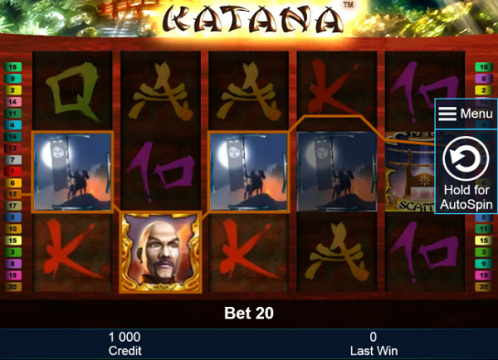
A responsive casino website adjusts its layout to fit a smaller screen. Menus, game categories and account controls should remain accessible without requiring players to zoom in and out repeatedly. On mobile, the main practical benefit is convenience: you can check the lobby or open a compatible game from a phone instead of switching to a desktop computer.
Game availability may depend on the title, software provider, device, browser and location. Some games may run smoothly on a newer phone but feel slow on an older model. If a game does not load, try closing unused browser tabs, updating the browser or switching to a reliable connection. Avoid repeatedly submitting login details while a page is unresponsive, as this can lead to account lockouts or duplicate actions.
Keeping your account secure
- Use a unique password that you do not use for other websites.
- Do not save your password on a shared or public device.
- Log out when you finish, especially if someone else can access your phone.
- Keep your operating system and browser updated.
- Never share account credentials or one-time security codes with another person.
Biometric unlocking can make a device easier to use, but it does not replace careful account security; Set a strong screen lock, keep your phone with you and avoid logging in over public Wi-Fi if you cannot verify that the connection is trustworthy. If you suspect someone has accessed your account, change your password and contact customer support through the casino’s official channels.
Mobile play and responsible gambling
Phone access can make casino games available in more situations, which is convenient but also makes it easier to lose track of time. Decide in advance how much time and money you are comfortable spending. Treat gambling as paid entertainment, not a way to earn income or recover previous losses. Never play with money set aside for bills, essentials or savings.
Look for account tools that may help you manage activity, such as deposit limits, time reminders, cooling-off periods or self-exclusion. Read the current terms to understand how these tools work and whether a change takes effect immediately. If gambling is causing stress or affecting your finances or relationships, stop playing and seek support from an appropriate UK service.
Practical habits for playing on a phone
- Set a budget before opening the casino and stop when you reach it.
- Use a timer so that a quick session does not become an unplanned one.
- Take breaks and avoid playing when tired, upset or under the influence of alcohol.
- Do not increase stakes to chase losses.
- Check your balance and transaction history rather than relying on memory.
Common login problems
Most mobile login difficulties have a simple cause. A mistyped email address, an outdated saved password or a weak connection can prevent access. Check that caps lock is off, confirm the details you entered and try loading the page again. If you use a password manager, make sure it has filled in the correct credentials for the correct website.
If you have forgotten your password
Use the password-reset option shown on the login screen and follow the instructions sent to the email address linked to your account. Check junk or spam folders if the message does not arrive promptly. Only use a reset link that you requested, and do not forward it to anyone. If you cannot access the registered email address, contact support and follow its identity-verification process.
If the site or a game will not load
Refresh the page once, then check your connection and browser updates. Clearing cached website data may help with a persistent display issue, though you might need to sign in again afterwards. If the problem continues, try another supported browser or device and contact customer support with a brief description of the issue. Do not provide your password in a support message.
Questions UK players may have
Can I access Katana Casino on my phone?
The site can be visited through a mobile browser. The exact appearance and performance depend on your device, browser and connection, and individual games may have different technical requirements.
Do I need to download an app?
Mobile browser access is available, so a separate app may not be necessary. If the casino advertises an app, verify its source and terms through the official website before downloading anything.
What should I do if my account is locked?
Stop trying repeated password combinations. Use the official recovery process or contact customer support, which can explain the next steps after verifying your identity.
Is mobile gambling safe?
Safety depends on using the correct website, protecting your device and credentials, and checking the casino’s current regulatory and security information. A mobile layout alone does not prove that an operator is licensed or suitable for UK players. Review the relevant details before depositing.
Final thoughts
Katana Casino login on mobile is intended to give UK players a convenient way to reach their accounts through a phone or tablet. A careful routine makes the experience smoother: use the official site, keep your device secure, troubleshoot patiently and understand the casino’s current terms before playing. Most importantly, set clear limits and use mobile access only when gambling remains affordable, voluntary entertainment.